Build workouts from a broad exercise library without starting every session from a blank page.
AI workout tracker for iPhone
Know exactly what to lift today, and why.
LiftAi reads your workouts, Apple Health recovery, and nutrition. Every gym session opens with a plan you can defend. Every session ends with one thing worth keeping.
Built in San Francisco by a lifter who got tired of opening five apps to plan one workout.
iPhone, iOS 17+
790+ exercises
Apple Health native
No ads, ever
Built for adherence
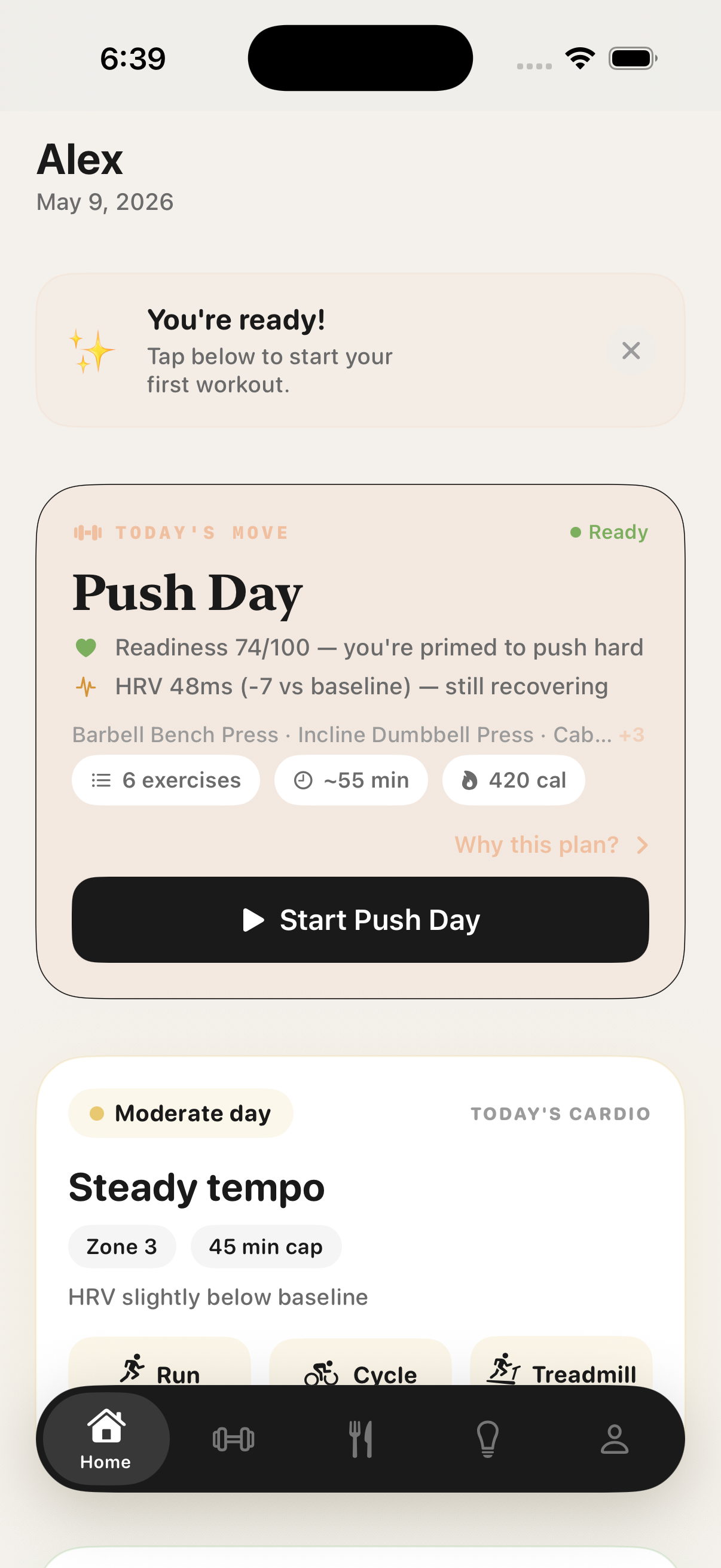
Open the app. Know what to lift.
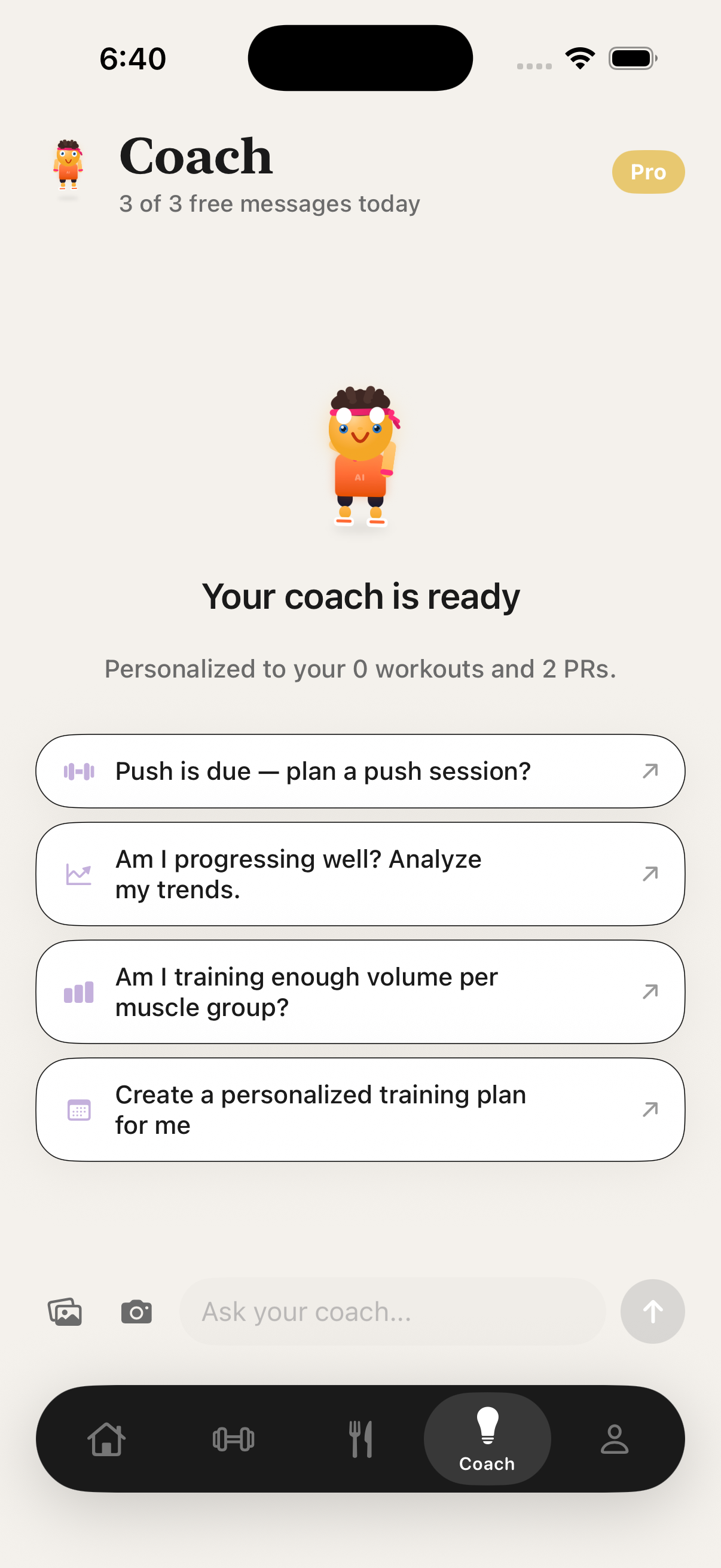
Free users can ask the AI fitness coach three questions per day; Pro unlocks unlimited coaching.
Bronze through Diamond strength milestones, tied to actual sets and reps — earned, not unlocked.
No ads, no trackers, no data resold. LiftAi is funded by subscriptions, not your attention.
Product walkthrough
Plan, log, coach, review.
01
Plan
Start with a session that respects your recent work.
LiftAi reads your workout history, muscle recovery, profile inputs, and available HealthKit context to suggest what to train next, with reasoning you can understand before you commit.
- Readiness
- Rest, HRV, RHR, and recovery context where the user grants access.
- Muscles
- Freshness signals reduce the chance of repeating the wrong stress too soon.
- Reasoning
- “Why this plan” explains the recommendation instead of hiding it behind a black box.
02
AI fitness coach
Ask better questions because the coach has your training context.
The AI coach can use recent workouts, PRs, equipment, goals, nutrition logs, and recovery context, making answers more specific than a generic chat prompt.
- Chat
- Streaming answers, with recent history kept locally on your device.
- Images
- Send a meal, a piece of equipment, or a progress shot for context.
- Plans
- Pro members get AI-built plans pulled from real history, not generic templates.
03
Gym log
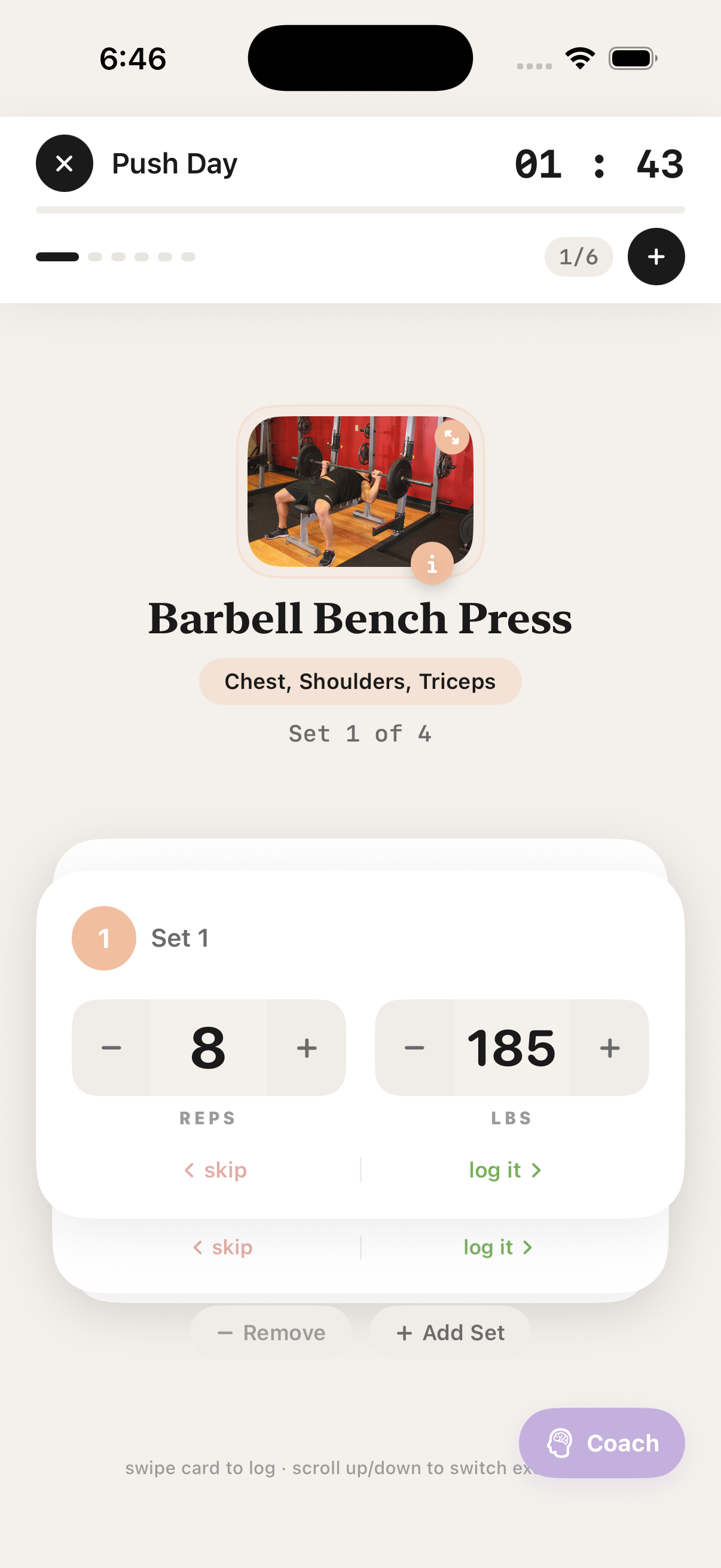
Track sets without breaking the rhythm of the workout.
The active workout view keeps logging fast: swipe sets, adjust reps or weight, start rests, and keep moving while the details stay organized in the background.
- Swipe
- Right to log, left to skip, with visible set progress.
- Adjust
- Previous-weight and quick-change controls reduce typing.
- Recover
- Rest timer and progress state stay visible in the flow.
04
Progress analytics
Review the signals that matter after the workout is done.
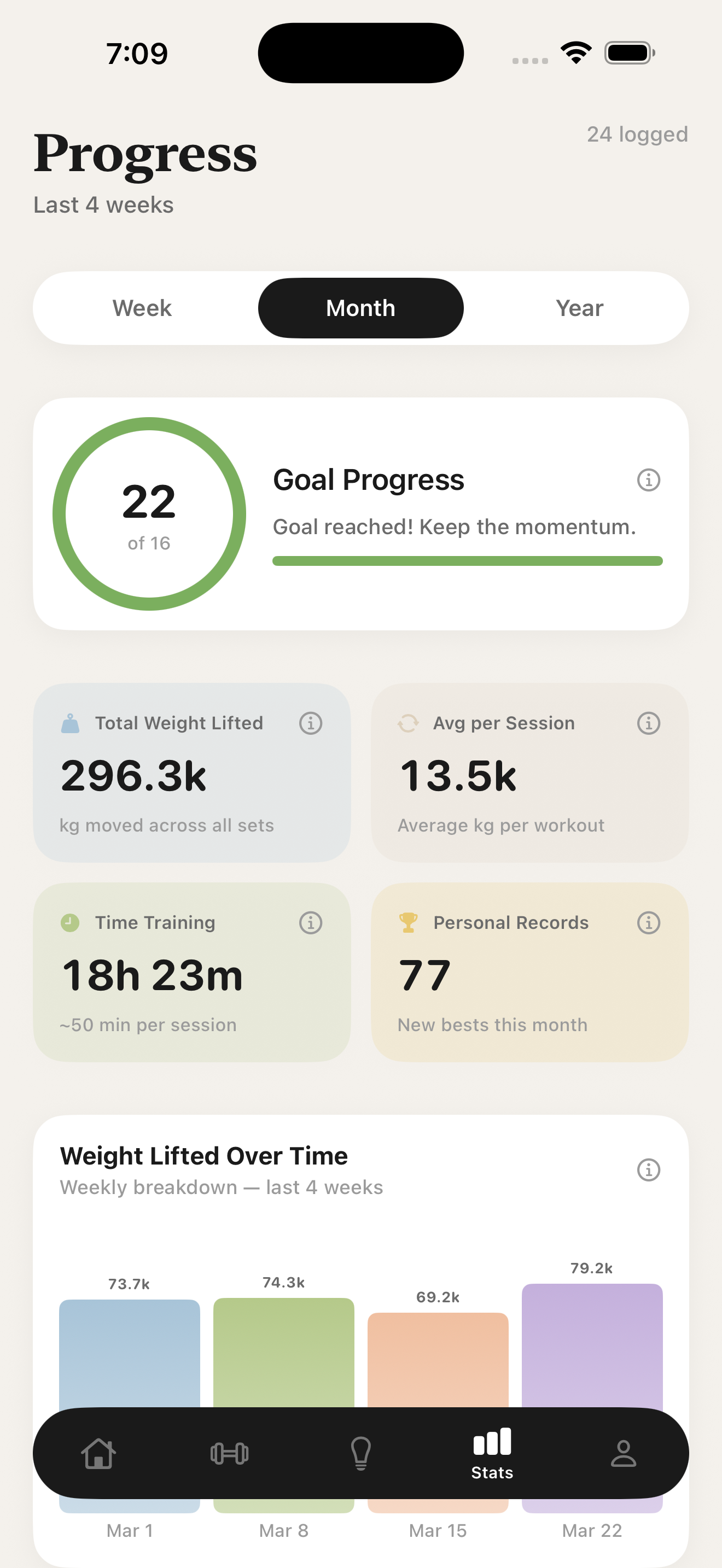
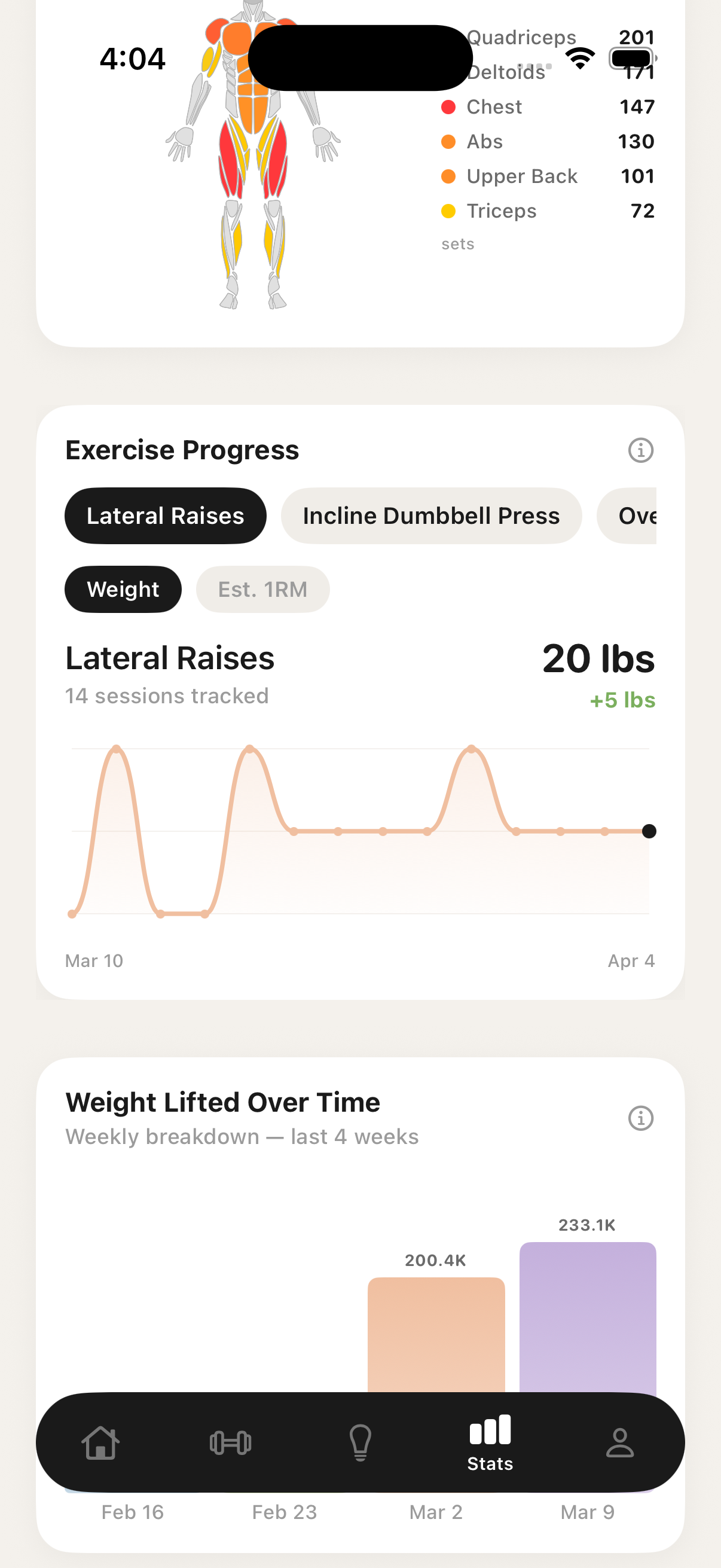
LiftAi organizes total volume, session averages, PRs, muscle activity, weekly trends, and estimated strength changes, so your progress is easier to read over time.
- Volume
- Total and per-session work summaries.
- Trends
- Weekly volume, muscle distribution, and exercise curves.
- Progress
- Goal rings and PR counts make the month readable.
Why LiftAi exists
Coaching, logging, recovery, food — every serious lifter ends up juggling four apps and a notes file. So I built the one app I wanted to open before the gym, and the one I want to review on Sunday night.
Nutrition
One app for the session and the plate.
Daily macros
Calories, protein, carbs, fat — at a glance.
Targets calibrated to your goals, body stats, and weekly training volume. Daily rings tell you exactly where you stand before your next meal.
- Photo log. Snap your plate. Macros get estimated and you confirm before saving.
- Barcode scan. Point at any label. Calories and macros populate instantly.
- USDA-backed search. Branded foods, restaurant chains, and barcodes — search and save in two taps.
- Saved meals & custom foods. Re-log a recurring meal in seconds. Define foods that aren't in the database.
- Water tracking. Hydration sits beside macros, so it's part of the picture.
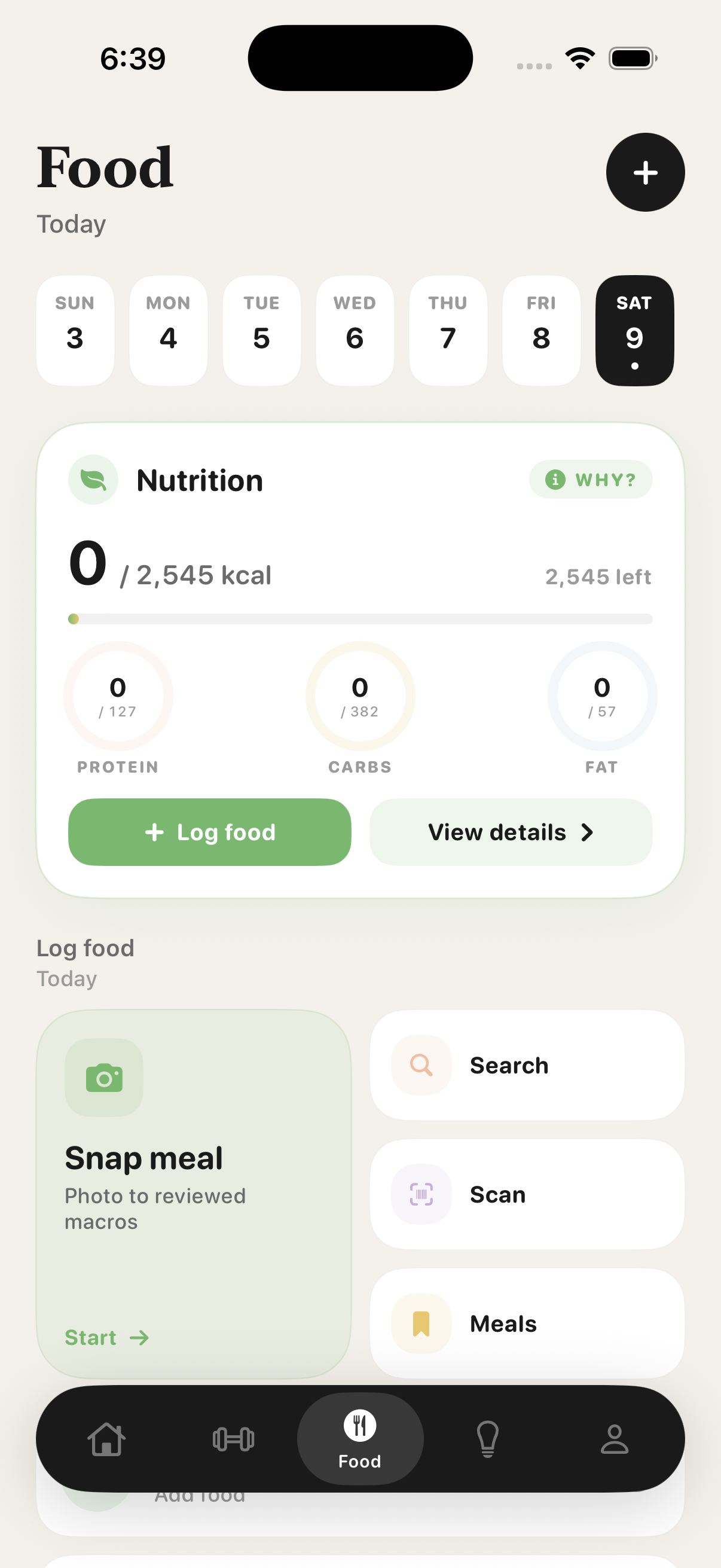
Logger
Five ways to log, one place to look.
Search, scan, snap, ask, or write — the food logger blends every entry method into one clean view. Pick the path that takes the fewest taps for what you're eating.
Weekly view
Nutrition trends, not just daily numbers.
Weekly average calories, macro splits, and consistency flow into the AI coach so its plans match how you actually eat — not how you say you eat. The picture gets sharper week over week.
Beyond the basics
The details serious lifters notice.
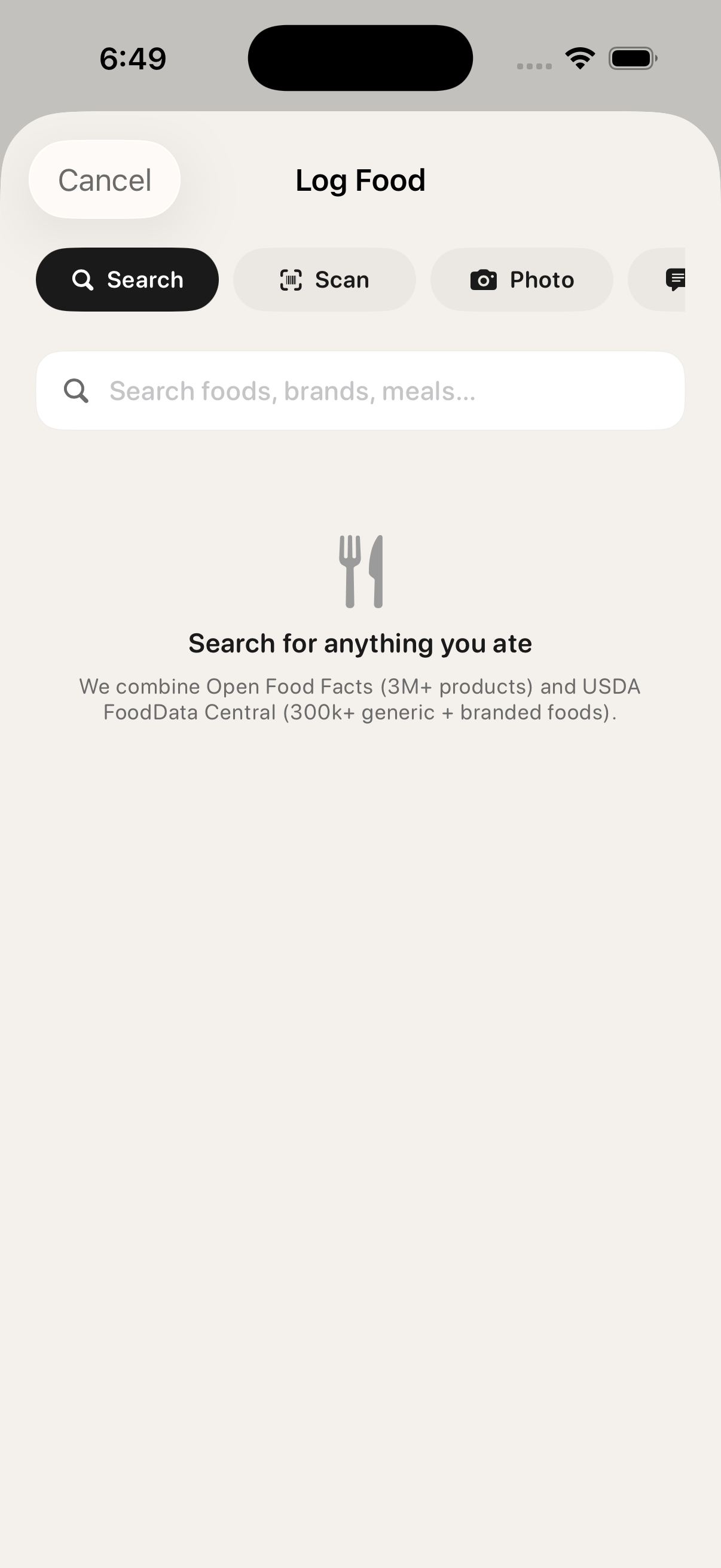
Exercise library
790+ exercises, browsable by muscle, equipment, or movement pattern.
Each exercise ships with form notes, primary and secondary muscles, equipment requirements, and difficulty. Build templates from the library or roll your own custom exercise.
- Filter by muscle group, equipment, or experience level
- Smart search finds variants instantly
- Custom exercises sync across devices
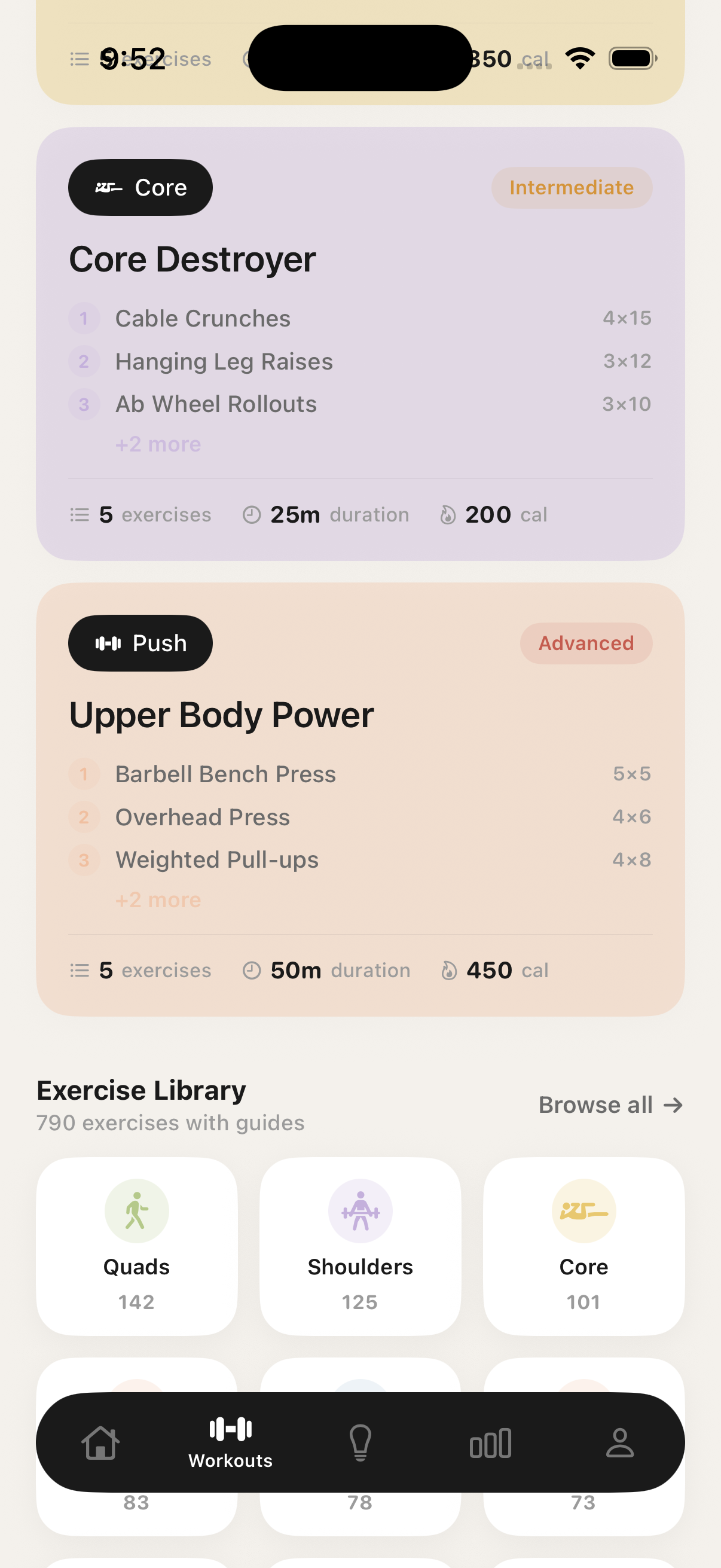
Achievements
25 milestones, Bronze to Diamond.
Strength milestones, consistency streaks, volume thresholds. Earned, not unlocked — every tier is tied to actual training data.
Recovery heatmap
See which muscles need rest before you start.
The recovery heatmap colors muscle groups by freshness. Pair with Apple Health readiness signals for a session that respects your body, not just your calendar.
Choose the right depth
Start free. Upgrade when the coach earns it.
Privacy
Your training data, handled plainly.
Encrypted in transit and at rest. Never sold. Never used to train ad models. Apple Health is opt-in, and you can revoke any permission, export your data, or delete your account in two taps.
LiftAi